Websites
Websites thatmake the phone ring.
A good-looking site is the starting point. I build sites that answer a stranger's questions in seconds and make calling you the obvious next move.
Every AIR sitecomes with this.
No feature menus or upsell tiers for the basics. These are standard on every plan.
- 01
Built for the phone in their hand
Most people find a local business on their phone, often standing in their kitchen with a problem. Every layout starts at phone width and scales up, and the call button is never more than a thumb away.
- 02
Found for the towns you serve
Page titles, service pages and structured data written around how people actually search: “furnace repair Port Hope”, “massage therapist Cobourg”. Set up so Google and AI search tools can quote you.
- 03
Prices and next steps up front
The questions people would otherwise phone to ask, answered on the page. Fewer tire-kickers, more calls from people who are ready.
- 04
A form that actually reaches you
Quote or booking requests land in your inbox, spam-filtered, with the details you need to call back once.
- 05
Accessible by default
Readable contrast, keyboard-friendly menus, real labels on every field. It’s the right thing to do, and it helps with search too.
- 06
Yours to grow
Start with the pages you need now. Add services, towns or a receptionist later without starting over.
Recent build
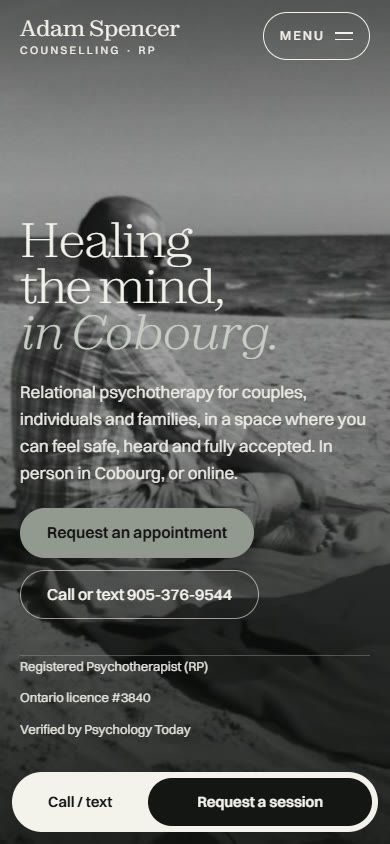
Calm on a laptop.Just as clear on a phone.
Adam Spencer Counselling: fees, approach and a request form, all within one scroll on a phone.
See the case study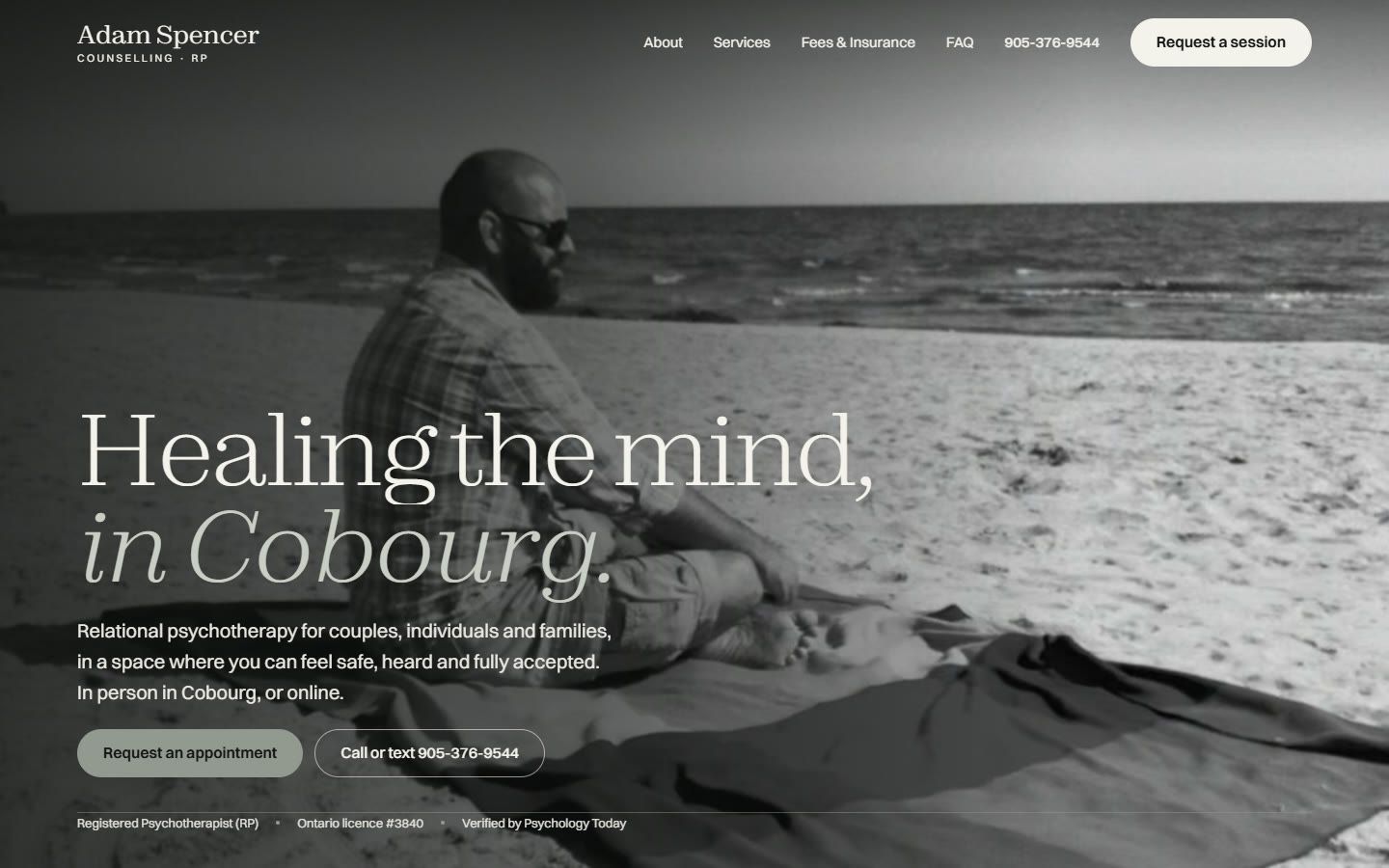
Before anything goes live
Good on the surface.Solid underneath.
Every site goes through the same launch checklist. These are real tests I run and save, not promises on a slide.
Speed
Lighthouse performance check on a throttled mobile connection
Accessibility
Automated axe scan plus a keyboard-only walkthrough
Contrast
Every text and background colour pair checked against WCAG AA
Screens
Checked at phone, tablet and laptop widths before launch
Links
Every link, phone number and email address tested
Search
Titles, descriptions, sitemap and structured data validated
Security
HTTPS everywhere and modern security headers
Forms
A real test submission end to end, including spam filtering
Three plans. One price each. No surprises.
Launch, Grow or Dominate, plus optional monthly care. Build your own estimate in under a minute.
Questions,answered straight.
What owners ask on almost every first call.
Pricing & contracts
How much does a website cost?
Every plan has a fixed build price, listed on the pricing page before HST, so you know the number before we talk. The only monthly costs are optional: the Care plan and the AI receptionist. Both are month-to-month.
Do I have to sign a contract?
No. The build is a one-time price. Care and receptionist plans run month-to-month, and you can cancel any month without a penalty.
What does the Care plan cover?
Hosting, security and software updates, small edits like new photos, prices or hours, and a monthly check that your forms, phone links and booking still work. If something breaks, fixing it is my job. [CONFIRM inclusions]
The free preview
How does “see it before you pay” work?
After a short call, I design a real preview of your new homepage using your business, your services and your area. You look it over, we talk it through, and you only pay for the build if you want to go ahead.
What if I don’t like the preview?
Then you don’t pay anything. Tell me what’s off and I’ll take another pass. If it still isn’t right, we part ways on good terms. There’s no deposit and no obligation.
What do I need to have ready?
Only a conversation. A logo, photos or an old site help, but they aren’t required. I’ll work from what we discuss and tell you what’s worth adding later.
Still wondering about something?Ask me directly. You'll get a real reply within one business day. [CONFIRM]
Book a free call